

Breaking into tech and AI sounds exciting, but many people think it’s expensive. They believe they need to pay for costly degrees, bootcamps, or premium courses.
Here’s the truth: You don’t have to spend thousands of dollars to learn AI and tech.
There are tons of free and budget-friendly resources that can teach you everything from coding and cloud computing to data science and cybersecurity. You just need the right roadmap to follow.
Before We Proceed – Who Is This Post For?
This post is designed for two types of people.
🔹 The Self-Learners – If you’re someone who can figure things out on your own, absorb knowledge from different resources, and make progress without much guidance, then you’ll find this post amazing. You’ll get access to top free and budget-friendly resources to help you move forward at your own pace.
🔹 The Guided Learners – Maybe you prefer a step-by-step roadmap instead of piecing everything together yourself. You learn better when you follow a structured plan, and you don’t want to feel lost along the way. If that sounds like you, don’t give up just yet—this post is designed for you too. In fact, if you read till the end, I’ll give you a free, structured step-by-step guide on how to build a tech career without a college degree.
No matter which category you fall into, your goal is the same—to learn tech without wasting money and to use the best resources available within your budget.
And guess what? I’ve got you covered.
So if you’re ready to break into tech without going broke, this guide will show you the best free and low-cost ways to get started. Let’s dive in! 🚀
💡 Step 1: Choose Your Tech Career Path – Never Skip This Step
Before diving into free resources, you need a clear direction. Tech is huge, and different careers require different skills.
Here are some of the best entry-level tech careers:
🔹 Software Development (Web & App Development) – Learn to build websites, apps, and tools.
🔹 Data Science & AI – Analyze data, train machine learning models, and build AI solutions.
🔹 Cloud Computing – Work with cloud platforms like AWS, Azure, and Google Cloud.
🔹 Cybersecurity – Protect systems from cyber threats and ethical hacking.
🔹 IT Support & Networking – Troubleshoot and maintain IT systems.
🔹 No-Code & Automation – Build apps and automate workflows without coding.
📌 How to Choose? Think about what excites you. If you love problem-solving and security, cybersecurity or AI might be a great fit. If you enjoy analyzing trends and making data-driven decisions, then data science could be your path.
Still unsure? Here’s a trick: Think about a real problem in your life or community that you’d love to solve. Now, explore which tech career aligns with solving that problem. When you connect your learning journey to something meaningful, you stay motivated and focused.
Many career beginners waste time jumping between different skills simply because they never took the time to understand their passion and purpose. Take a moment now to choose the right path—or rush in blindly and risk losing even more time later. 🚀
📚 Step 2: Learn Tech & AI for Free (Best Free Resources)
Forget overpriced bootcamps—these free resources teach the same skills at zero cost.
💻 Coding & Software Development
✅ CS50: Introduction to Computer Science (Harvard) – Best beginner-friendly coding course.
✅ The Odin Project – Full-stack web development.
✅ freeCodeCamp – Learn JavaScript, Python, and full-stack development.
📊 Data Science & AI
✅ Python for Everybody (University of Michigan) – Learn Python for data science.
✅ Google Machine Learning Crash Course – AI & ML basics.
✅ Kaggle Micro-Courses – Free data science & machine learning tutorials.
☁️ Cloud Computing
✅ AWS Free Training – Learn AWS cloud fundamentals.
✅ Microsoft Learn – Azure cloud learning path.
✅ Google Cloud Training – Free Google Cloud courses.
🔐 Cybersecurity
✅ TryHackMe – Interactive cybersecurity labs.
✅ Cybrary – Free cybersecurity training.
✅ CompTIA Security+ Study Guide – Free Security+ prep.
🛠 IT Support & Networking
✅ Google IT Support Certificate (First Course Free) – Great for beginners in IT support.
✅ Cisco Networking Academy – Learn networking for free.
✅ CompTIA Network+ Study Guide – Free networking basics.
⚡ No-Code & Automation
✅ Zapier University – Learn how to automate tasks without coding.
✅ Webflow University – No-code website building.
✅ Bubble.io Academy – Learn to build no-code applications.
My goal here isn’t just to throw a bunch of links at you and leave you wondering what to do next. If you’re a self-learner, I’m sure having access to the right resources is all you need.
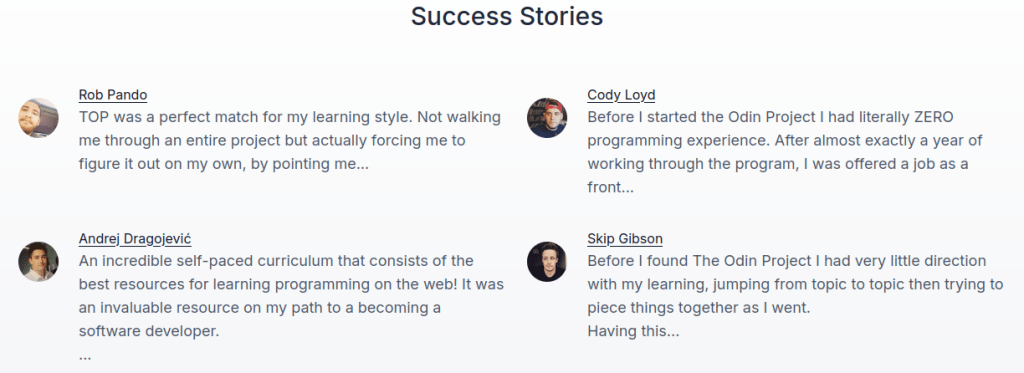
However, you might be questioning the credibility of these platforms—and that’s completely fair. My advice? Check out the testimonials and success stories from each site. You’ll be amazed at how many people have successfully used these free and budget-friendly resources to launch their tech careers. 🚀
📌 Pro Tip: Pick one learning path and stick to it. Jumping between fields will slow you down.
💰 Step 3: Budget-Friendly Resources (For Those Who Can Invest a Little)
While many great resources are free, some low-cost courses offer structured learning, hands-on projects, and certifications that can boost your confidence and credibility.
If you’re a self-learner, you may feel comfortable exploring resources on your own, building projects, and finding solutions independently. However, if you’re a beginner who needs more guidance, investing in a structured course can provide you with step-by-step learning, beginner-friendly projects, and a clear path forward.
Many online courses not only introduce you to the field but also offer practical exercises that gradually build your skills while helping you gain confidence. Plus, they provide certifications that can help you showcase your knowledge to employers and stand out in job applications. 🚀
Best Budget-Friendly Tech Courses
💲 Udemy Tech Courses – Often discounted to $10-$15 per course.
💲 Coursera Professional Certificates – Google, IBM, and AWS courses (Free if you audit).
💲 DataCamp – Python, SQL, and data science training (first chapters are free).
📌 Pro Tip: If you can’t afford paid courses, apply for financial aid on Coursera—they offer free access to some courses if you explain your financial need.
🎯 Step 4: Apply What You Learn (Build Real-World Projects)
Let’s get something straight—watching tutorials all day won’t land you a job. You can complete every free course, memorize every syntax rule, and binge-watch hours of coding videos, but if you don’t build real projects, apply your skills, and showcase your work, you’ll remain invisible to recruiters.
The brutal truth? No one hires you for what you’ve learned—they hire you for what you can prove.
If you’ve been “learning” for months but still don’t feel job-ready, it’s because you’ve fallen into the trap of passive learning. The only way to escape tutorial hell and actually become employable is to build, break, fix, and showcase real projects.
🔥 How to Get Hands-On Experience Without a Job
Employers don’t want to hear, “I’m ready to work if you give me a chance.” They want to see, “Look at what I’ve already built.”
Here’s how to gain real experience without waiting for someone to hire you:
✅ Contribute to Open Source – Many beginner-friendly projects on GitHub allow you to collaborate with real developers. Fix small bugs, improve documentation, and gradually work on bigger features. This gets you experience AND networking opportunities.
✅ Freelance for Small Businesses – Offer your skills to local businesses, friends, or online startups for free or at a low rate. Build a basic website, automate a workflow, or analyze some business data. The goal is to gain experience, not just money.
✅ Work on Personal Projects – Pick a real-world problem and build something practical. An AI chatbot, a data dashboard, an automation tool—projects that actually solve a problem make you stand out.
✅ Join Online Coding Challenges – Platforms like Kaggle, TryHackMe, CodeWars, and LeetCode provide real-world challenges that mimic job tasks. If you can solve problems in competitions, you can handle them in a real job.
🚀 Example Projects to Build (That Make You Stand Out)
If you’re serious about getting hired, you need 3–5 strong portfolio projects that demonstrate practical problem-solving. Here are some high-impact project ideas:
✔️ Web Development: Build a personal portfolio website showcasing your work, projects, and contact information.
✔️ Data Science: Analyze real-world datasets (not pre-cleaned ones from tutorials), create visual reports, and share insights in a well-documented GitHub repository.
✔️ Cybersecurity: Complete Capture the Flag (CTF) challenges and write a blog post or documentation on how you solved them. This proves you know real security tactics.
✔️ Cloud Computing: Deploy a real-world app on AWS, Azure, or Google Cloud. Show that you can work with cloud infrastructure, scale an app, and handle security.
📌 The Goal? Get Your Work in Front of Recruiters
Building projects is step one—showcasing them is step two. You need to make sure employers and hiring managers can actually see your work.
🔹 Upload everything to GitHub – If you’re in tech and don’t have a GitHub portfolio, you’re missing opportunities.
🔹 Write about your projects – Share your work on LinkedIn, Dev.to, or Medium. Many people land jobs just from blogging about what they build.
🔹 Build a personal website – A simple portfolio with your projects and contact details makes you look 10x more professional.
🔹 Engage with the community – Participate in hackathons, coding challenges, and open-source contributions. This builds credibility and connections.
💡 Your next move? Pick a project from this list, start working on it today, and upload your progress to GitHub or LinkedIn within the next 7 days.
And if you’re still unsure how to get started, I’ve put together a free step-by-step roadmap on how to build job-ready projects, showcase them properly, and land your first tech role—without a degree.
📌 The goal? Build 3-5 solid projects and upload them to GitHub or a personal website.
💡 Final Thoughts – You Can Learn Tech Without Breaking the Bank
Many people think breaking into tech requires spending thousands of dollars on degrees, bootcamps, or premium courses—but that’s simply not true. There are plenty of free and budget-friendly resources that can teach you everything you need to land a high-paying tech job.
But here’s the key: Passive learning won’t get you hired. My strongest recommendation is active learning—learning by building projects. This approach not only boosts your confidence but also helps you tackle real-world challenges and showcase your skills effectively. Employers don’t just want knowledge—they want proof that you can apply it. 🚀
📩 Want a full roadmap to break into tech without a degree? Download my free guide here! 🚀
 La Grande Dieta
Leave a comment